Everything it does, on the page you're already on.
One panel on Amazon product pages. Here's each part of it, as it works in the current version.
On the Amazon page
It works on the product page and on the all-offers page, the two places you already check.
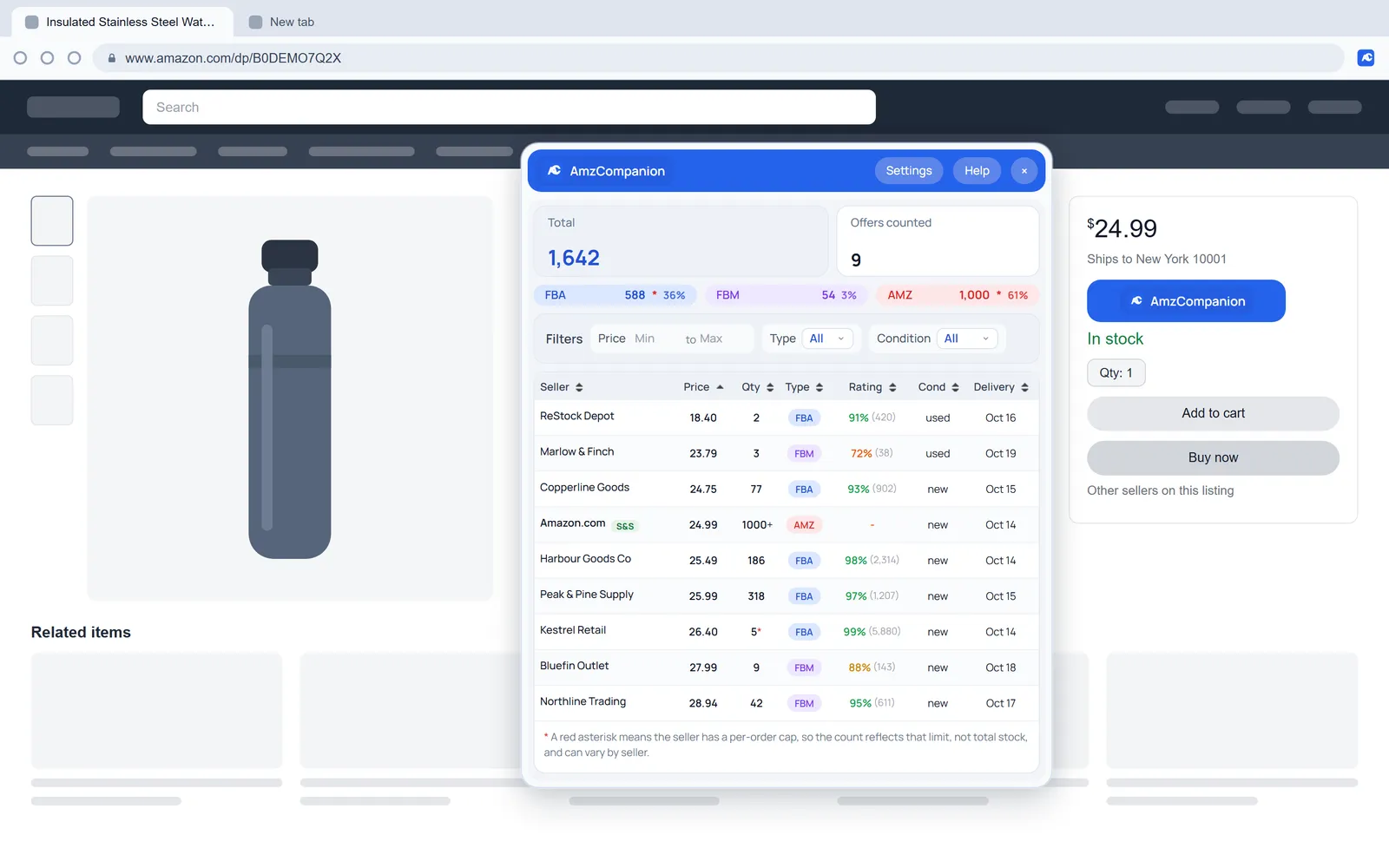
A button in the buy box
An AmzCompanion button sits next to the buy box on product pages. On the all-offers page it runs full width above the list.
The toolbar icon works too
Click the AmzCompanion icon in your toolbar on a product page to run the same scan. Anywhere else on Amazon it opens and closes the panel.
A panel you can move
Drag it by the header and it remembers the spot, so the next listing opens in the same place.
Fresh on the next listing
Open another product and click again to scan it. An offer you've just counted is reused for ten minutes before it's counted again.
Counting
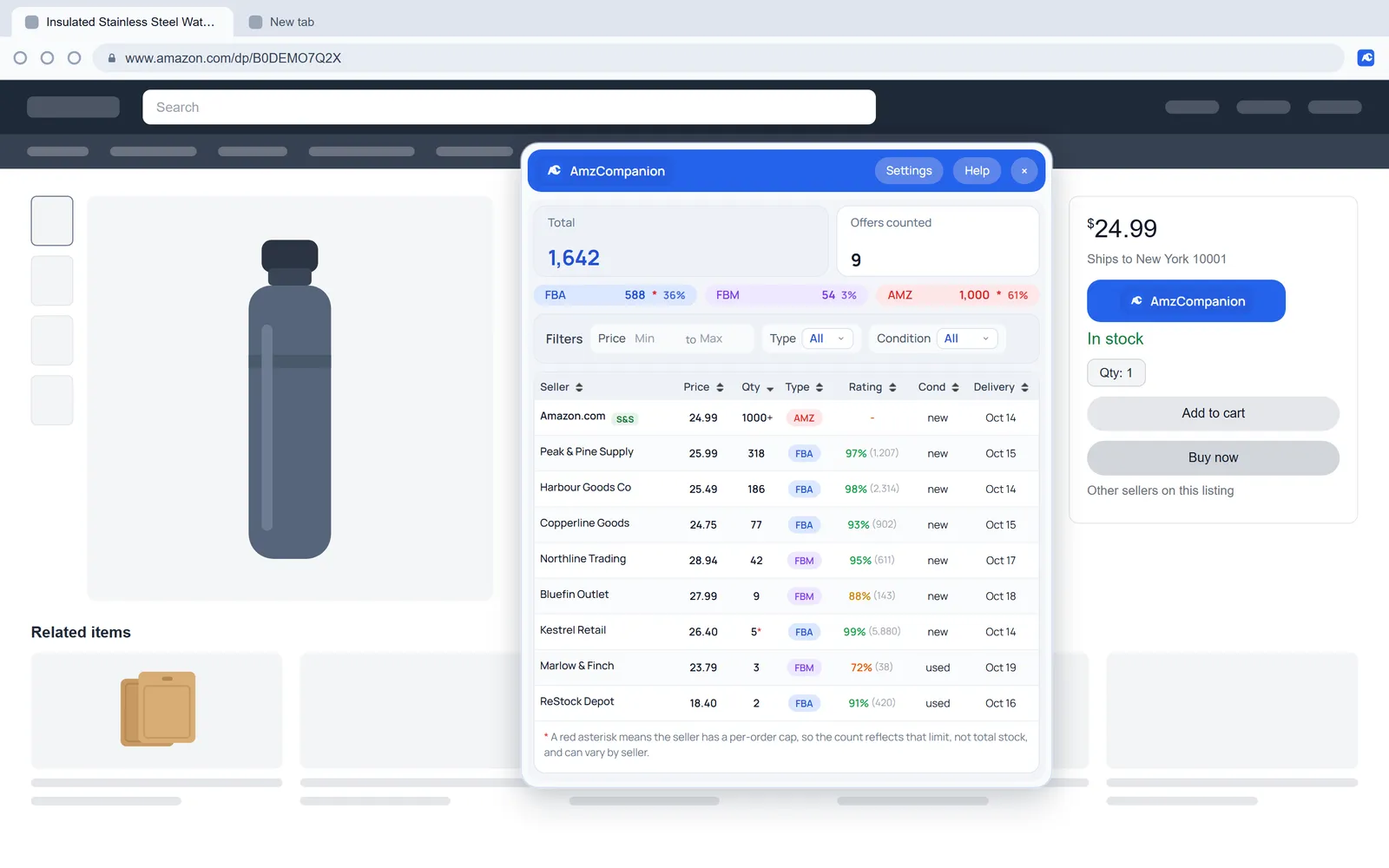
You get one total for the listing, then the same number broken down by channel.
Estimated stock per seller
Each offer gets a unit count: how many Amazon will let a buyer add to their cart from that seller.
FBA, FBM and AMZ split
Each channel has its own total and share. Amazon's own offer gets a separate line, so you can see how much Amazon holds.
Capped counts flagged
You'll see 1000+ when a count hits Amazon's ceiling and a red asterisk when a seller limits each order. A dagger means your own account is that seller.
Totals and offers counted
The top of the panel shows total units on the listing next to the number of offers behind them.
The seller table
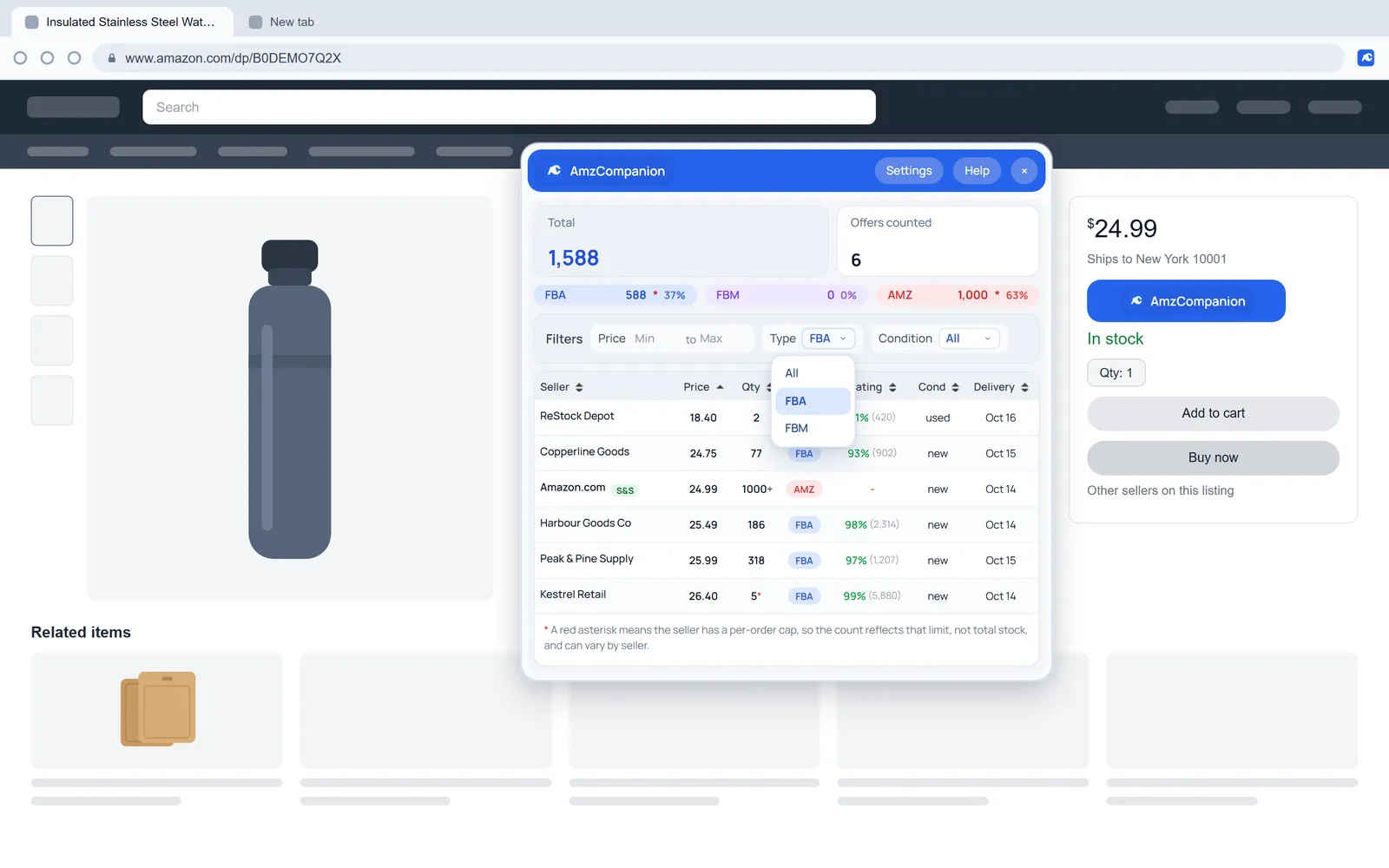
Seven columns you can sort. It opens sorted by price, cheapest first.
Seller, price, qty, type
Third-party sellers link to their storefront. Price is item plus shipping, so offers compare like for like.
Rating at a glance
You get the seller's positive feedback and review count. It turns green at 90% and amber at 75%, and anything lower shows in orange.
Condition and delivery
Each row shows whether the item is new, used or collectible, and when it would arrive.
Subscribe & Save spotted
Offers with Subscribe & Save get an S&S badge. Hover it to see the subscription price and discount.
Filters
Narrow the table and the totals recalculate for what's left.
Price range
Set a minimum and maximum in whole units. It checks price plus shipping.
Type
Pick FBA or FBM. FBA keeps Amazon's own offer in, since Amazon fulfills it.
Condition
Show only new or only used offers, for when used stock isn't your competition.
Account and support
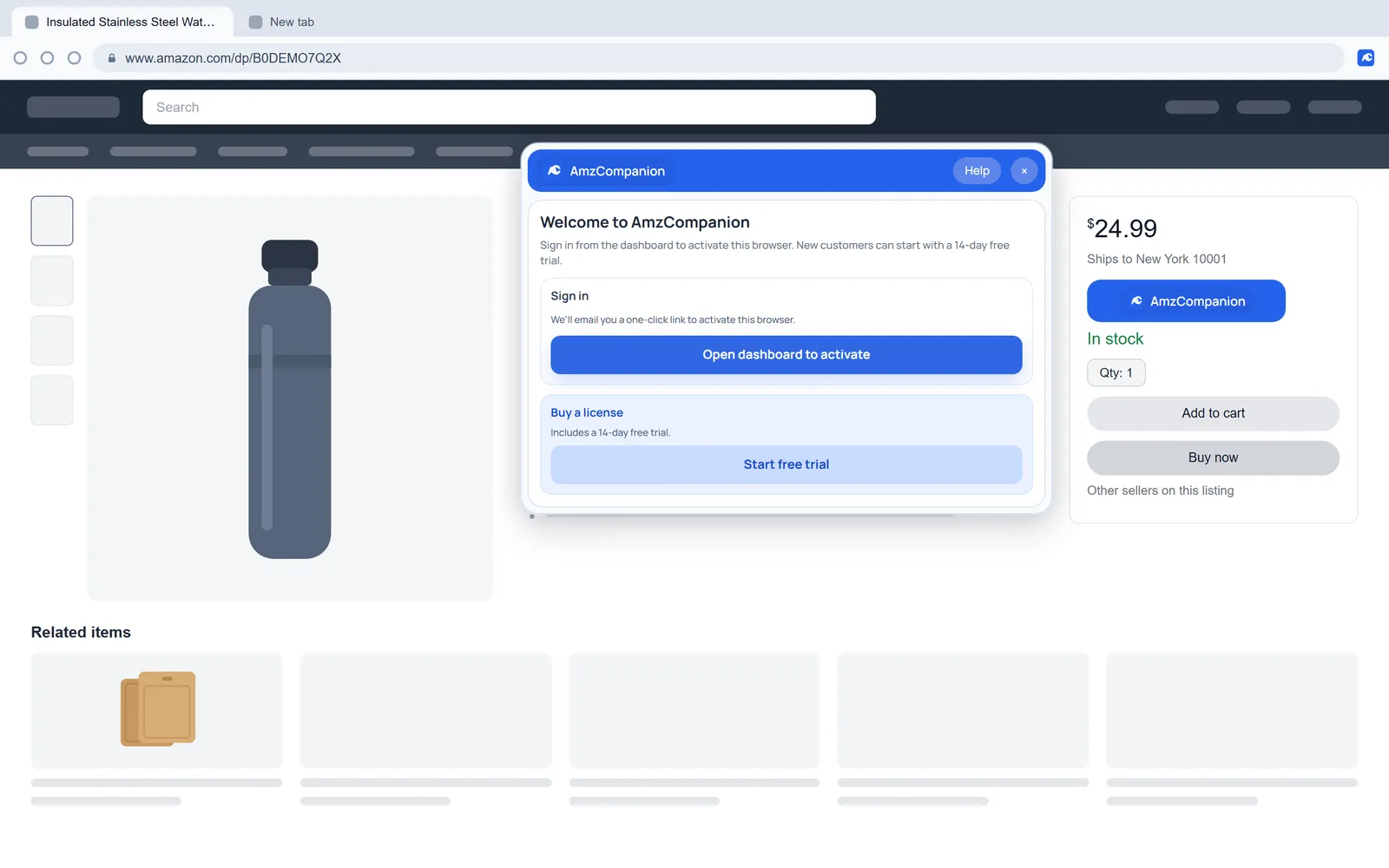
Plans, billing and devices live in your dashboard. The extension only needs to know you're signed in.
Sign in by email link
Open the dashboard and click the link we email you, and this browser is activated. You won't need a license key.
Seats you can move
Sign out of a browser in the panel's settings and its seat is free for another one.
Support from the panel
Report a bug or sort out an account problem from the panel, while you're still on Amazon.
Where it runs.
20 Amazon storefronts in Chrome and Firefox, on product pages and on the all-offers page.

Amazon storefronts
20 countries, on product pages and all-offers pages.
- Americas
 United Statesamazon.com
 Canadaamazon.ca
 Mexicoamazon.com.mx
 Brazilamazon.com.br
- Europe
 United Kingdomamazon.co.uk
 Germanyamazon.de
 Franceamazon.fr
 Italyamazon.it
 Spainamazon.es
 Netherlandsamazon.nl
 Swedenamazon.se
 Polandamazon.pl
 Türkiyeamazon.com.tr
- Middle East
 United Arab Emiratesamazon.ae
 Saudi Arabiaamazon.sa
- Asia Pacific
 Australiaamazon.com.au
 Japanamazon.co.jp
 Indiaamazon.in
 Singaporeamazon.sg
 Chinaamazon.cn
 Chrome Web Store
Chrome
Install it from the Chrome Web Store with full stock counting.
Add to Chrome Firefox Add-ons
Firefox
Works in Firefox 128 or later, with the same features as Chrome.
Add to Firefox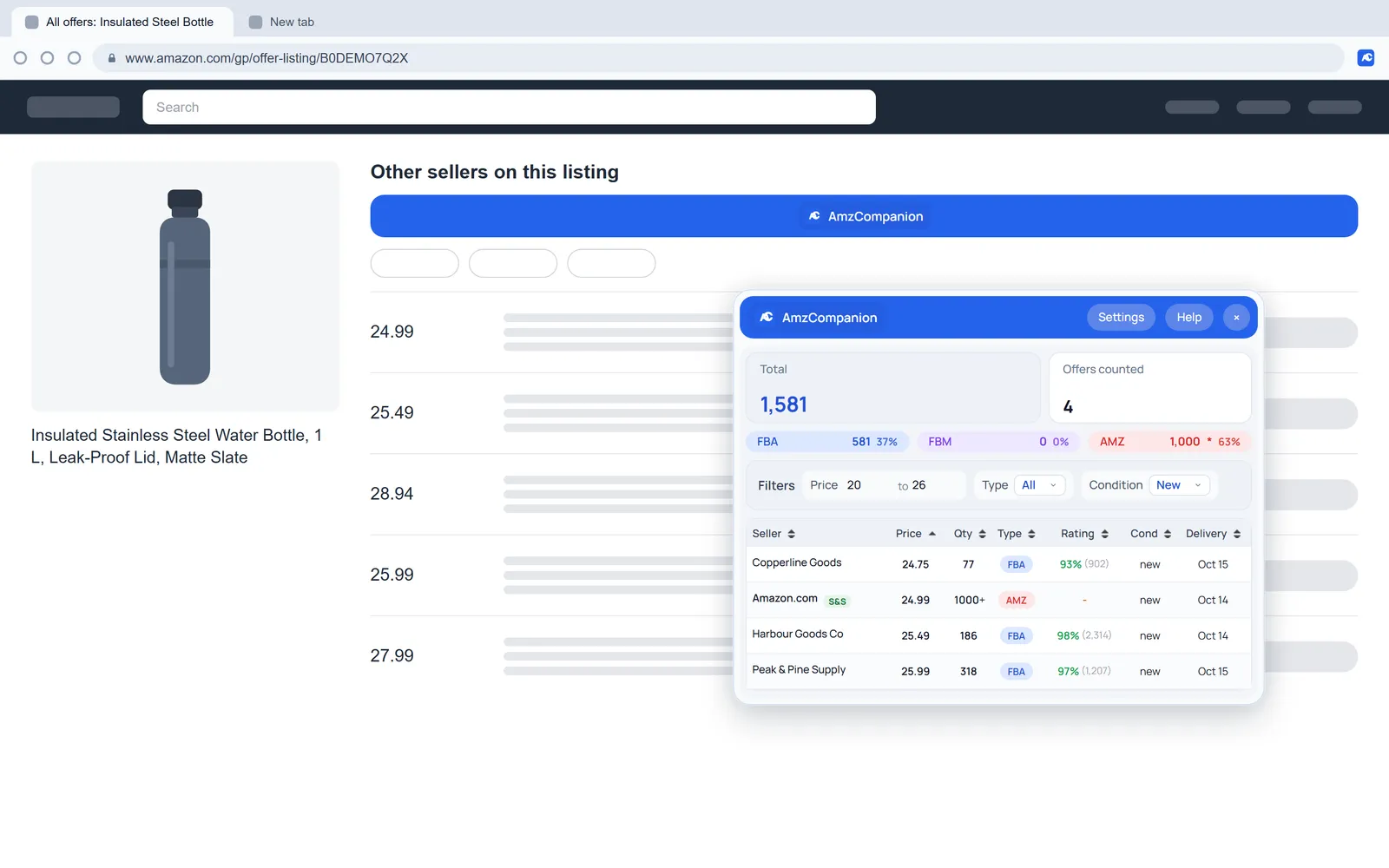
What it doesn't do.
AmzCompanion is built to tell you who holds the stock. For the jobs below, use it alongside a tool that does them.
- Price, sales rank or stock history
- Sales estimates
- Profit or ROI calculator
- Price or stock alerts
- Export to CSV or Sheets
- Anything inside Seller Central
It counts the offers Amazon loads in its offers panel. On listings with lots of sellers, check the Offers counted figure to see how many went into the totals.
See how it stacks up against SellerAmp, Keepa and Seller Assistant on the compare page.
See who holds the stock on your next listing.
Add AmzCompanion and activate it with the link we email you. You get 14 days with every feature, and you won't need a card.
Plans from $12 a month after the trial. Cancel any time.